How to generate the first one
- Log into studio.zappost.ai.
- Type what you want in the Creative Assistant, the text box on the home screen. One sentence is enough: “a post about the Mother’s Day promotion at my salon”.
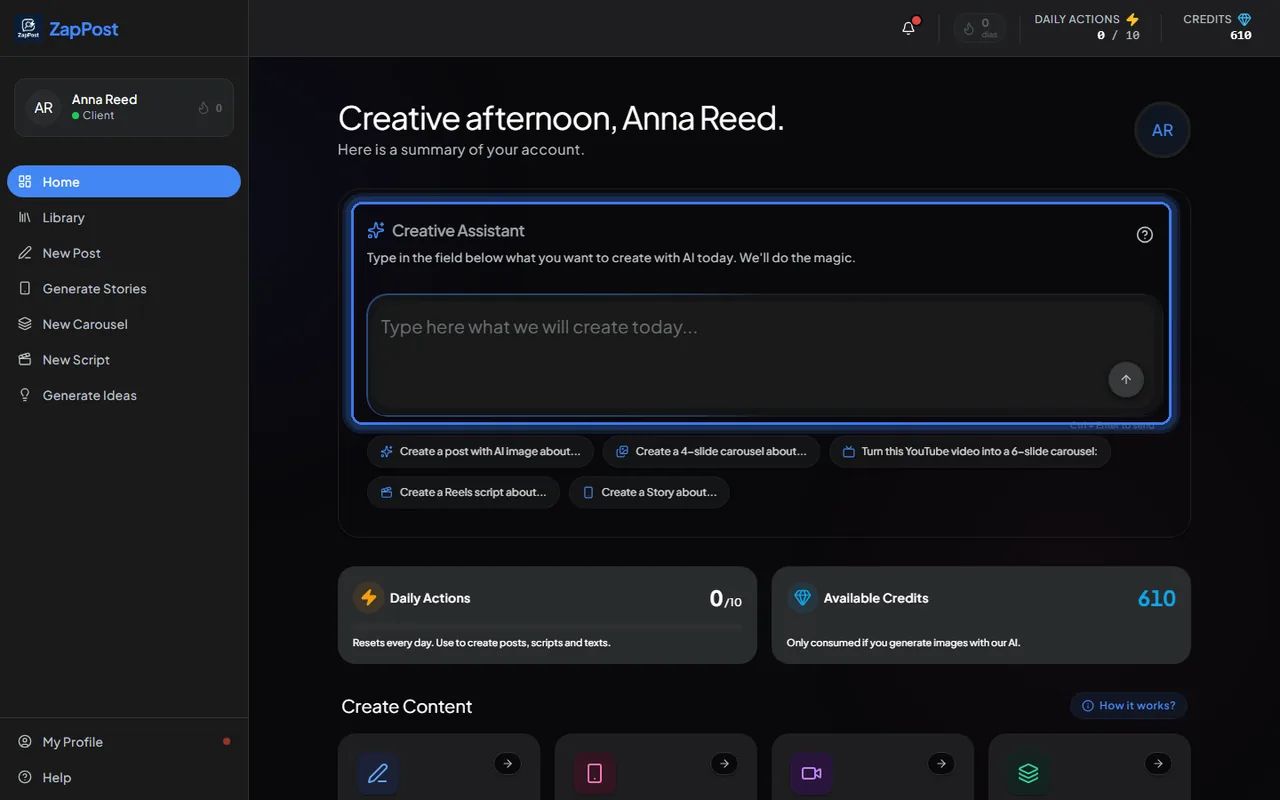
The Creative Assistant box takes you to the right tool with the request filled in. - Or open a tool from the menu (New Post, Generate Stories, New Carousel, New Script, Generate Ideas) and follow the numbered steps at the top of the screen.
No idea what to ask for
In any tool, turn on Magic Mode in the “Configure” step: the AI picks the topic from your profile and generates the whole thing. See what is Magic Mode. Or use Generate Ideas, which is free, to get a list of topics for the week.
You already generated and cannot find it
Everything stays in the Library, in the left menu, organized by date. See where do I find the content I already generated.
If you would rather watch someone do it, the live office hours are one hour on video with the team. Pick a time here.
Answer checked on 31 August 2026.