You record. The words are already there.
Say what the video is about and get the full script: the hook for the first few seconds, the body, and the call to action at the end. In short blocks, the way people actually record.
Reels, TikTok, Shorts, Stories, YouTube and LinkedIn. No credits used.
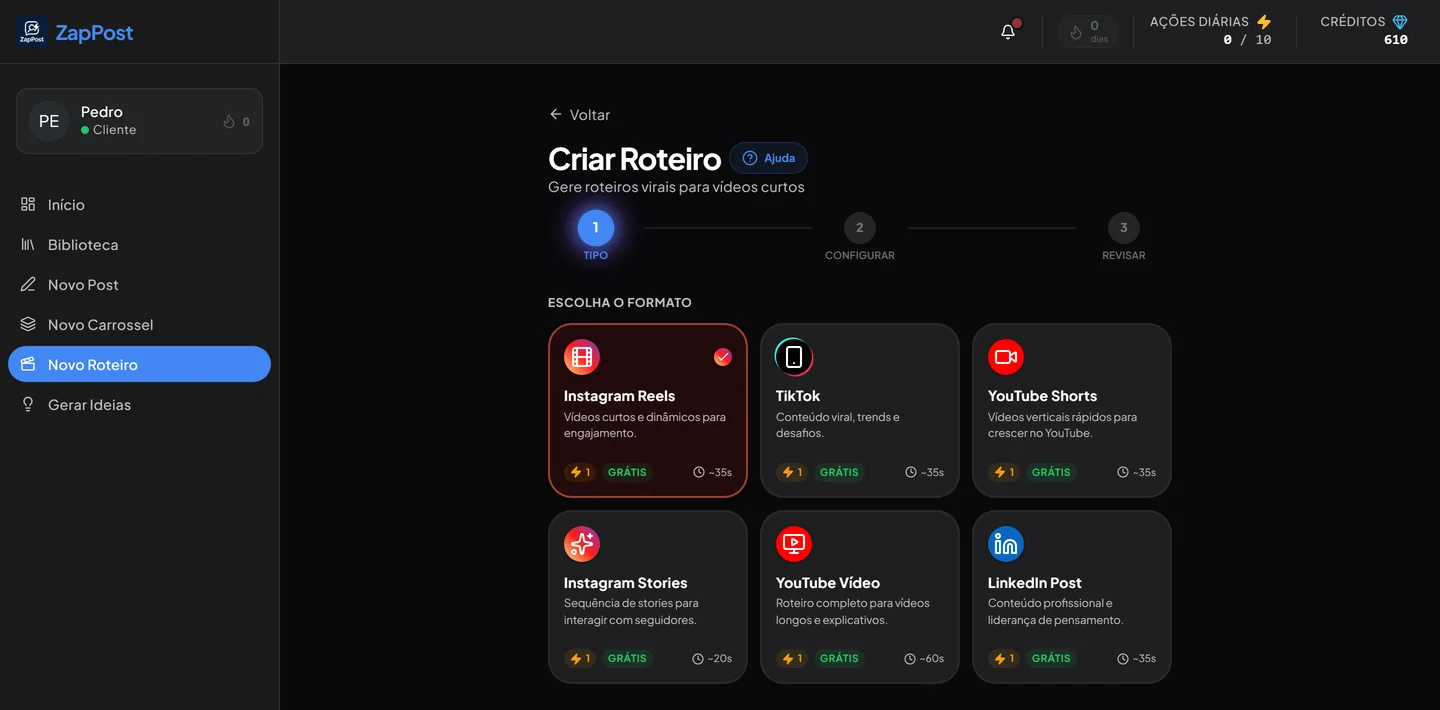
The first screen: six formats, each with its own length and pace. All of them marked as free, with no credits spent.
From topic to script in three steps
No complicated editor and no timeline. One question, one sentence from you, and the text is done.
Pick the format
Reels, TikTok, Shorts, Stories, a long YouTube video or a LinkedIn post. The length and the pace of the script change with your choice.
Say what the video is about
“Three mistakes that make clients walk away from a quote” is already enough. If you prefer, turn on Magic Mode and the artificial intelligence builds the concept from scratch.
Record block by block
The script arrives split into short parts. You record one, take a breath, record the next. No memorizing two minutes of text.
Save it to your library
Every script stays in the app. You can come back weeks later, record it again or reuse the hook in another video.
What lands in your hands?
A Reels script comes out roughly like this, with the suggested time for each part.
Hook, body and call to action
That is the structure that holds people to the end, and it is the same in every format. What changes is how long each block is.
- The hook is the first line, the one that decides whether the person stays or swipes to the next video.
- The body delivers what the hook promised, with no detours.
- The call to action asks for something small, the size of a request you can make to someone who just met you.
“You send the quote and the client goes quiet. It is not the price. It is three things you do before you hit send.”
0s to 4s
Mistake 1: taking more than a day to answer. Mistake 2: sending only the number, without saying what is included. Mistake 3: disappearing after you send it and waiting for the client to come back on their own.
4s to 28s
“Save this video and try it on your next quote. Then tell me down here what changed.”
28s to 35s
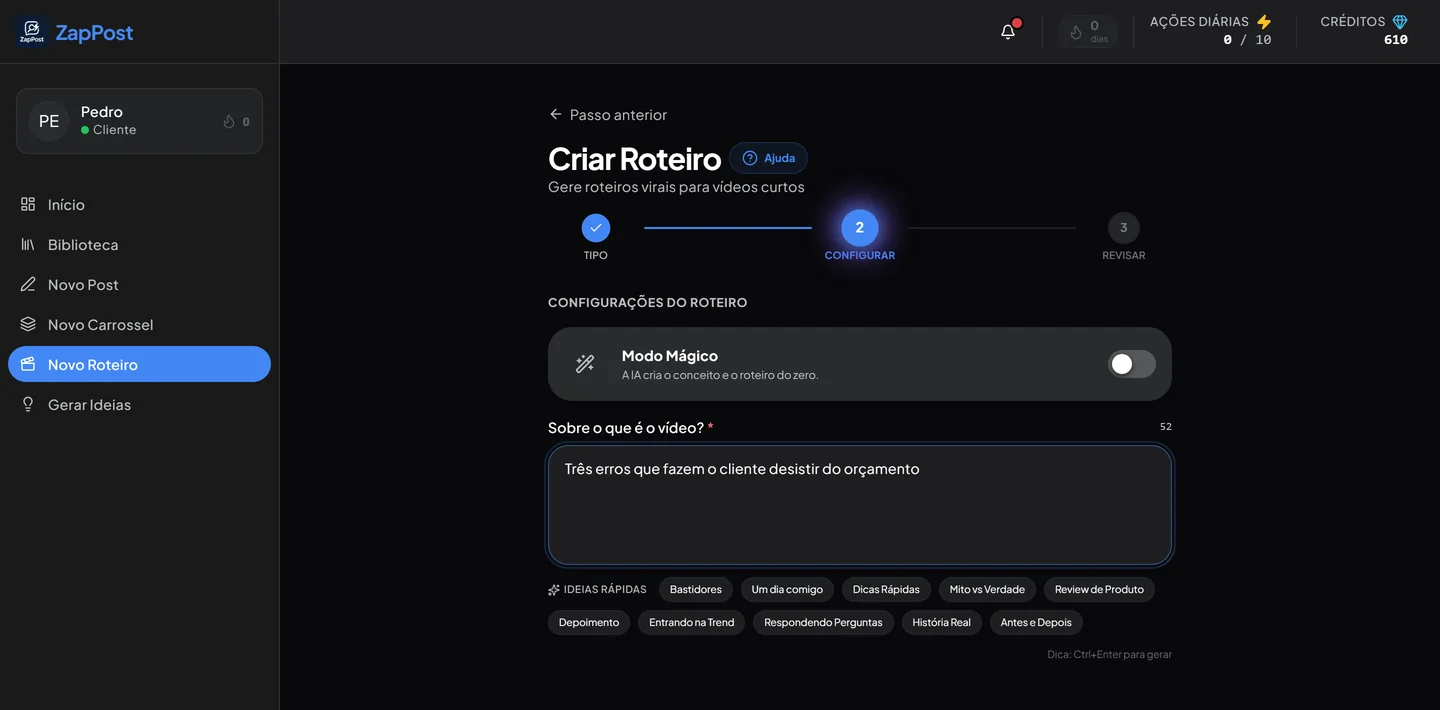
The field is one sentence, not a form
One line in plain English. There is no required field for target audience, tone of voice or campaign goal, because the app already knows all that from your business profile.
- Magic Mode builds the whole concept when you have no idea at all.
- Ten topic shortcuts sit under the field, so you can start without thinking.
- A keyboard shortcut generates it on the spot, without taking your hands off the text.
Ten video formats that always work
These are the shortcuts under the field. They are a starting point for when you want to record but do not know what about.
Each shortcut turns into a different script depending on your niche.
The anatomy of a video nobody skips
The script handles the words. These four things handle the rest, and they hold for any short video you record.
The first three seconds are worth more than the next thirty
A short video has no introduction. The person is scrolling fast and the thumb decides before the head does. If your video starts with “hey guys, how is everyone doing”, you spent the most valuable moment asking for permission.
Start with the conflict: an uncomfortable question, a number that stings, a line that goes against what everyone repeats. “You are pushing clients away without noticing” holds better than any introduction.
If the video could only have one line, which one would it be? Start there.
One promise per video
The urge to tell everything you know is what pushes a video past a minute and loses half the people in the middle. One video, one subject, one promise kept. The rest becomes next week’s video, and that is good news: you stop running out of things to say.
Talk the way you would explain it to a client
The script comes written, but it is not meant to be read on camera. Read it once, get the order of the ideas, and say it in your own words. People spot someone reading right away, and nothing cools a video down faster than eyes drifting to the side of the screen.
That is why the script arrives in blocks: you read a block, record that piece looking at the camera, and move to the next one.
Record three at once
The work is not the recording. It is setting up the space, fixing your hair and working up the nerve. If you do that once a week and record three videos in a row, the cost per video drops a lot. Ask for three scripts, print them or keep them on your phone beside you, and record all three the same day.
It is the difference between posting when you feel like it and posting every week, which is what the account needs.
Questions that always come up
Do I have to be on camera?
Not necessarily. The script works for a video with you in front of the camera, for a screen recording, for a video of the product being made, or for narration over images. If being on camera is not for you, carousels solve it with no face at all.
Does this use credits from my plan?
No. The script generator shows up as free on the screen itself: it uses one of your daily actions, not your credits. Credits are spent when an image is being generated, like in a post with an image or in a carousel.
Does it write the script the way I talk?
It starts from your business profile: what you do, who you do it for, and the tone you use. Even so, read it before recording and swap out the words that are not yours. Five seconds of adjustment is what makes the video sound like you.
Does it work for long videos too?
It does. The YouTube video format produces a fuller script, with more body to it. The short formats are tight on purpose, because a short video that stretches loses people halfway.
Can I ask for another version if I do not like it?
You can, as many times as you want within your daily actions. And since every script is saved in your library, you can compare the versions before deciding which one to record.
The other tools
All in the same app, with the same profile of your business behind them.
Pick the format and record today.
It takes less than a minute to have the script on screen. The time left over is for recording.
Results vary by niche and consistency.